How to Keep Your Crypto Wallet Safe | The 2026 Security Essentials
Keep your crypto safe in 2026 with essential wallet security practices. Learn how to protect private keys, avoid scams, and secure your digital assets.

How do I keep my crypto wallet safe?
In crypto, there is no chargeback — prevention is the entire defense. Two habits handle most of the risk: keep the seed phrase offline on metal (never digital), and split funds so a single compromise doesn't drain everything. Verify every transaction on the hardware wallet's physical screen before signing. The threat matrix below covers what to defend against and how.
Key Takeaways
- Compartmentalize across at least three wallets: a cold storage wallet for long-term holdings, an active wallet for trading and DeFi, and a burner for risky sites. One compromise should never drain everything.
- For anything you're not comfortable losing, use a hardware wallet bought directly from the manufacturer. Software wallets are fine for daily-use balances only.
- There's no recovery path for a lost or stolen seed phrase. Store it offline on a metal backup. Never keep it in any digital form — that's where malware looks first.
- SMS 2FA is exposed to SIM-swap attacks. Replace it with an authenticator app at minimum, or a hardware security key like YubiKey for higher-value accounts.
- Most wallet drains start with a transaction the user signed without reading. Verify the address and amount on the hardware wallet's physical screen, and revoke unused dApp approvals at Revoke.cash.
Here is a number that should stop you mid-scroll: crypto scams drained an estimated seventeen billion dollars from users in 2025, according to Chainalysis. Impersonation scams alone grew fourteen hundred percent year over year, and the February Bybit hack saw one point five billion dollars in Ethereum vanish from a cold wallet that was supposed to be one of the safest storage methods in the industry. If institutions with multi-signature approvals and dedicated security teams can get hit, individual users face an even wider attack surface. The question is not whether you will be targeted but whether your setup will hold when it happens.
Keeping your crypto wallet safe in 2026 means understanding that the threat landscape has shifted. Most losses now come from operational failures, crypto drainers, phishing attacks, social engineering, and compromised devices rather than smart contract exploits. Here are the robust countermeasures to crypto theft and fraud.
Threats and defenses at a glance
A quick reference for the attacks most likely to drain a crypto wallet in 2026, with example tactics and the countermeasures that stop each. The body sections below go deeper on the highest-impact defenses.
| Threat type | Example attacks | How to defend |
|---|---|---|
| Seed phrase compromise | Device malware (RedLine, Vidar) scanning notes apps; cloud backups containing screenshots; phishing forms posing as wallet recovery | Metal backup in a fireproof safe; never digital; a 25th-word passphrase creates a hidden wallet even if the physical backup is found |
| Single-wallet failure | One bad signature wipes the entire balance; an airdrop scam drains a wallet that also holds long-term savings | Compartmentalize across cold storage for long-term holdings, an active wallet for trading, and a burner for risky sites |
| Supply-chain tampering on hardware wallets | Pre-loaded Ledger or Trezor from a marketplace reseller, with a seed phrase already known to the attacker | Buy directly from the manufacturer; verify device integrity on first setup |
| Blind-signing malicious transactions | Fake "security upgrade" prompt; airdrop claim page asking for approvals; address-swap drainer that replaces the recipient mid-transaction | Confirm address and amount on the hardware wallet's physical screen, not the computer monitor; reject any unclear signature |
| SIM-swap attack on SMS 2FA | Attacker ports the victim's phone number to a new device, intercepts SMS codes, takes over the exchange account | Replace SMS 2FA with an authenticator app or hardware security key like YubiKey |
| Phishing via lookalike sites | Pixel-perfect clones promoted through paid Google Ads on exchange brand names; fake support emails with malicious links | Bookmark official URLs and access only through bookmarks; check the anti-phishing code on every legitimate email if the exchange supports one |
| Lingering token approvals | Old unlimited approvals on a contract that has since been hacked or rugged, drained months after the original transaction | Audit and revoke unused allowances at Revoke.cash; prefer custom amounts over unlimited |
| Social engineering and impersonation | "Support agent" DM on Discord or Telegram; deepfake voice call asking for seed phrase verification | Treat unsolicited DMs as hostile; legitimate support never initiates contact through DMs |
| Outdated wallet software | Known vulnerabilities exploited weeks after patches are released and published | Enable automatic updates; refresh hardware wallet firmware quarterly or when a critical patch ships |
| Malicious browser extensions | Fake MetaMask-style extensions that read keystrokes or modify transaction data before it's signed | Use a dedicated browser profile only for crypto, with as few extensions as possible |
Separate your funds by purpose
Using one wallet for everything creates a single point of failure that can wipe you out in one bad signature. Maintain at minimum three wallets: a cold storage wallet for long-term holdings that never connects to dApps, an active wallet for trading and DeFi interactions funded only with what you need for current activity, and a burner wallet for airdrops, new mints, and connecting to unverified sites. If the burner gets compromised, you lose only what is in that wallet. Your savings stay untouched.
Use a hardware wallet for anything you are not comfortable losing
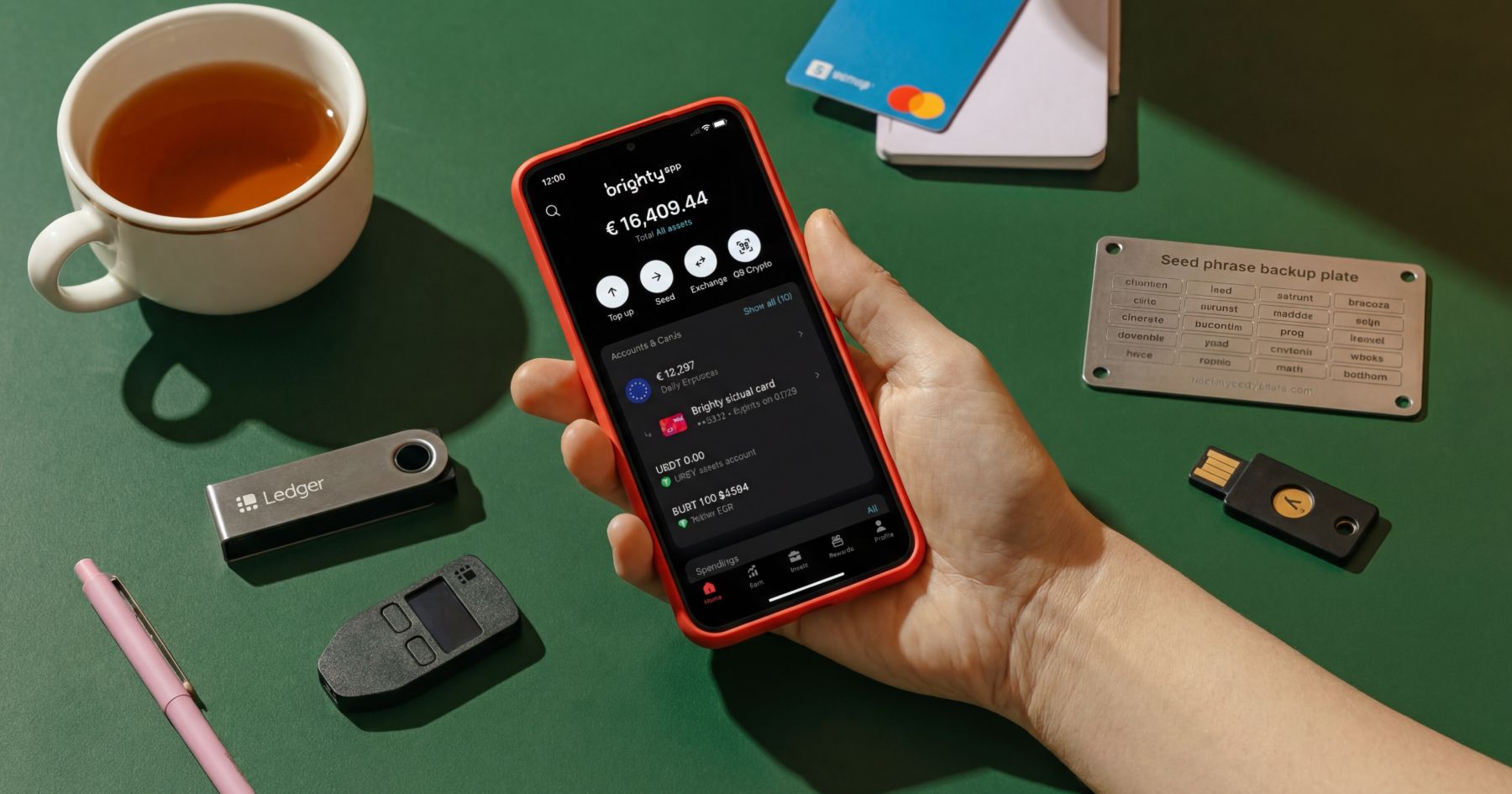
Hardware wallets like Ledger, Trezor, and OneKey store private keys offline in secure elements isolated from internet-connected devices. Even if malware infests your computer, attackers cannot sign transactions without physical confirmation on the device. Purchase hardware wallets directly from manufacturers, not third-party sellers, to avoid supply chain tampering.
Your seed phrase is the master key
There is no password reset, no customer support, no recovery process if someone gets it. Write it down on paper or better yet, metal backup plates that resist fire and water. Store it in a fireproof safe or bank deposit box. Make a second copy in a separate physical location. Never store it digitally. Not in a notes app. Not in cloud storage. Not as a screenshot. Not in an email draft. Every single one of these locations has been exploited in real attacks.
Two-factor authentication is not optional, but the method matters
SMS-based 2FA is vulnerable to SIM-swap attacks where attackers port your phone number to their device. Use authenticator apps like Google Authenticator or Authy at minimum. Hardware security keys like YubiKey provide the strongest protection because they require physical possession of the device to authenticate.
Before you sign any transaction, verify what you are approving
Blind-signing is how most wallet drains happen. So, if you use a hardware wallet, confirm the address and amount on the device screen, not on your computer monitor. Be suspicious of any signature request that appears right after page load, any "security upgrade" prompt, or any "airdrop claim" page asking for approvals. If the wallet prompt is unclear, cancel, refresh, and navigate back through your bookmark, not through a link.
Treat token approvals as ongoing liabilities
When you connect to a dApp, you often grant permission for that contract to spend your tokens. Audit and revoke allowances you no longer need using tools like Revoke.cash. Avoid unlimited approvals when a custom amount works. Revoke approvals after you finish using a feature, especially if you will not return soon.
Keep software updated
Wallet developers constantly patch vulnerabilities that attackers actively scan for. Enable automatic updates where available. Update hardware wallet firmware quarterly or when critical patches release. And finally, use a dedicated browser profile only for crypto with as few extensions as possible, since malicious browser add-ons remain a proven infection vector.
Save
Bookmark official URLs and always access them through bookmarks, never through links in emails, SMS messages, Telegram groups, or search engine ads. Attackers buy Google Ads for exchange names and direct traffic to pixel-perfect clones. If an email claims your account needs verification, check whether it contains your exchange's anti-phishing code if they support one. If it does not, it is fake.
TL;DR
The uncomfortable truth is that technical defenses alone are not enough anymore. Most compromises start with a human decision, hesitation or lack of suspicion: clicking a link, approving a transaction, or sharing a code.
To get good at safeguarding your crypto assets you have to learn to treat every unexpected message as hostile. Assume all direct messages claiming to be support are scams. Legitimate support teams will never initiate contact through DMs and will never ask for your seed phrase or private key.
Store the vast majority of your holdings in cold storage and keep daily trading funds in a hot wallet with only what you need. Use a burner wallet for anything sketchy. Make a habit to verify every transaction on your device screen. Update everything and then some more. And if something feels wrong, it probably is. Trust that instinct. It will save you more than any yield farming strategy ever could.
FAQ
How do I separate my crypto into multiple wallets?
Set up at least three: a cold-storage wallet (typically hardware) for long-term holdings that never connects to dApps, an active hot wallet for trading and DeFi funded only with what's needed for current activity, and a burner wallet for airdrops, new mints, and unverified sites. If the burner is compromised, the loss is limited to what's funded in it.
Is a hardware wallet enough by itself?
It's the strongest single security layer, but not a complete defense. A hardware wallet protects the private key from internet-connected devices, but it can't stop a user from blind-signing a malicious transaction. Verify every transaction on the device's physical screen, and only buy hardware wallets directly from the manufacturer to avoid supply-chain tampering.
Can stolen crypto ever be recovered?
In almost all cases, no. Crypto transactions are irreversible, and stolen funds typically move through mixers and bridges within minutes. Some hacks have ended in partial recovery through law enforcement coordination and bounty programs (the 2025 Bybit case eventually recovered roughly $1.23 billion of the $1.5 billion stolen), but those are exceptions. Prevention is the only reliable defense.
What is blind-signing and how do I avoid it?
Blind-signing means approving a transaction without seeing what it actually does — the most common cause of wallet drains. To avoid it, only sign transactions where the address and amount are clearly displayed on a hardware wallet's physical screen. Be skeptical of any signature request that appears right after page load — especially ones framed as a "security upgrade" or an "airdrop claim."
How do attackers use Google Ads to steal crypto?
Attackers buy paid Google Ads on exchange and wallet brand names so their phishing sites appear above the legitimate result in search. The fake site is usually a pixel-perfect clone designed to capture credentials or seed phrases. The defense is to bookmark official URLs and access them only through bookmarks, never through search results or links in messages.
How often should I revoke dApp token approvals?
Audit approvals after every use of a new dApp, and run a full sweep at least quarterly. Tools like Revoke.cash list every active allowance and let unused ones be removed in a few clicks. Old approvals on contracts that have since been compromised or rugged are a common drain vector months after the original transaction.
What should I do if I get a DM from "support"?
Treat it as a scam by default. Legitimate exchange or wallet support teams never initiate contact through DMs — they wait for users to reach out through official channels. Any request for a seed phrase, private key, or "fund migration" is a scam. If there's a genuine support issue, open the exchange app or wallet directly and contact support from there.
Most costly mistakes don’t come from complexity — they come from chaos. Brighty App brings structure to how you manage and spend crypto.