How to Pay With Crypto Using Apple Pay and Google Pay: 2026 Guide
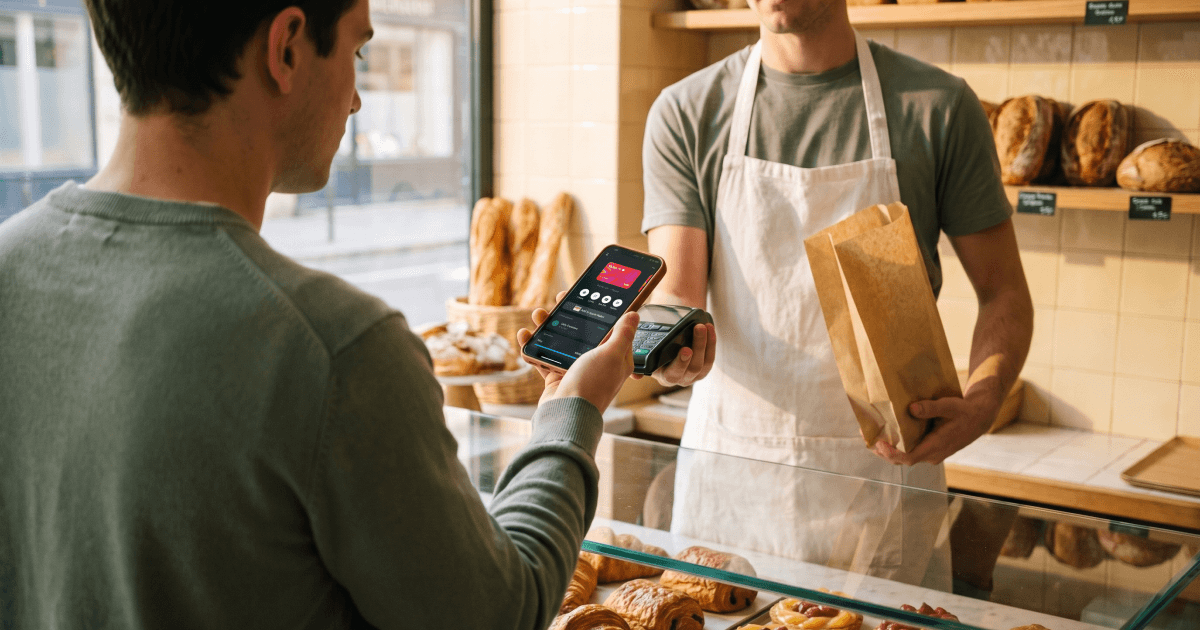
Can you pay with crypto using Apple Pay and Google Pay?
Not directly. Apple Pay and Google Pay work with payment cards, so spending crypto through either one means adding a crypto-linked Visa or Mastercard to the wallet and letting the card convert your balance at the till. Setup takes a few minutes, and the table below covers what to do when a card refuses to add.
Key Takeaways
- Neither wallet holds crypto. Both store a token in Primary Account Number format, with the real card details kept in a separate vault (Mastercard, Tokenization).
- Apple requires "a supported card from a participating card issuer" plus a device passcode or biometric lock, and Google requires NFC with an active screen lock (Apple, Set up Apple Pay; Google, Add a debit or credit card).
- Apple states that "neither Apple nor your device sends your actual payment card number to the app" (Apple, Security).
- The Brighty card works with both wallets, covering iPhone and Apple Watch on the Apple side and Android on the other (Brighty, Apple Pay; Brighty, Google Pay).
- The wallet adds no fee of its own. Costs come from the card underneath, which on Brighty means 0.4% to 0.6% conversion above free monthly allowances (Brighty, Fees and Limits).
- Tapping to pay from a crypto balance is a taxable disposal in member states that tax crypto gains per transaction, while the Netherlands taxes holdings instead (Revenue; Belastingdienst).
In This Article
- Can you add crypto to Apple Pay or Google Pay?
- How does paying with crypto through a digital wallet actually work?
- How do you add a crypto card to Apple Pay?
- How do you add a crypto card to Google Pay?
- Why won't your crypto card add to the wallet?
- What does it cost to spend crypto this way?
- Does paying through a wallet change your tax position?
- How Brighty handles Apple Pay and Google Pay
- FAQ
Can you add crypto to Apple Pay or Google Pay?
No, and that shapes everything below. Neither wallet has a field for a seed phrase or a wallet address, and neither Apple nor Google settles anything on a blockchain. Both platforms accept payment cards.
What people mean by paying with crypto through Apple Pay is a two-layer arrangement. Underneath sits a Visa or Mastercard attached to an account holding your crypto, and on top sits the wallet that turns it into a tap. The purchase triggers the conversion inside the card account, and the terminal sees an ordinary card transaction.
Your choice of card therefore decides almost everything here, and your choice of wallet almost nothing. Apple Pay and Google Pay behave identically whichever card sits underneath, and everything that varies between providers comes from the card itself.
How does paying with crypto through a digital wallet actually work?
Tokenisation does the work, and the wallet never keeps your card number on the phone. Mastercard describes tokenisation as swapping sensitive card data for "unique identification symbols, also known as tokens," which "are in Primary Account Number (PAN) format and pass simple card validation rules" while the real details stay in a separate token vault (Mastercard).
Apple spells out its side. The Device Account Number "can't be decrypted by Apple but is stored in the Secure Element." At the terminal, the Secure Element provides that number plus a transaction-specific dynamic security code, so "neither Apple nor your device sends your actual payment card number to the app" (Apple).
Google follows the same pattern, describing a virtual card as "a randomly generated number that replaces your actual card number," shared with the merchant when you pay in store (Google, Keep your payment info safe).
A useful side effect: a shop that suffers a data breach never held your card number, and a lost phone exposes a token that can be killed without reissuing the card.
How do you add a crypto card to Apple Pay?
Apple's requirements: a compatible device on the latest software, a supported card from a participating issuer, and a passcode or biometric lock set (Apple).
On iPhone, Apple's steps run as follows (Apple):
- Open Wallet and tap the Add Card button.
- Choose Debit or Credit Card, or pick from Cards Found For You.
- Tap Continue.
- Hold the card near your iPhone, or choose Enter Card Details Manually.
- Expect your issuer to ask for extra verification or an app download before approval.
A virtual crypto card has nothing physical to hold near the phone, so step four means typing the details in. An add-to-wallet button inside the provider's own app skips that, dropping the card into Apple Wallet in a few taps (Brighty, Apple Pay).
Apple Watch is a separate enrolment, and a card on your phone does not appear there automatically. Open the Apple Watch app on the paired iPhone, go to the My Watch tab, tap Wallet & Apple Pay, then Add Card (Apple).
How do you add a crypto card to Google Pay?
Google's requirements are stricter about hardware. Your phone needs NFC and an active screen lock, and tap to pay has to be available in your country. Google also notes that a card supporting contactless payments does not guarantee Wallet compatibility, so your provider has to support Google Wallet specifically (Google).
Google's steps (Google):
- Open the Google Wallet app and tap Add to Wallet.
- Tap Payment card, then New credit or debit card.
- Scan the card, or choose Enter details manually.
- Tap Save and continue.
- Read and accept the issuer terms.
- Choose a verification option if prompted.
A hardware caveat here catches crypto users more often than most. Google warns that devices that are rooted, run a custom ROM, have an unlocked bootloader or run uncertified software may be blocked from tap to pay (Google), which rules out plenty of modified Android builds.
A Brighty card added this way taps to pay anywhere Google Pay is accepted (Brighty, Google Pay).
Why won't your crypto card add to the wallet?
Most failures start with the card provider instead of the phone. Apple is explicit that it "does not approve or decline cards for use with Apple Pay," which puts the decision with your issuer (Apple, If you can't add a card).
| What you see | Likely cause | What to do |
|---|---|---|
| No option to add the card at all | Your provider does not participate | Apple says to contact your card issuer to see if they support Apple Pay |
| "Could Not Add Card" or "Invalid Card" | Issuer-side rejection | Apple says to contact your bank or card issuer |
| "Card Device Limit" | Too many devices enrolled on that card | Contact the issuer to free up a slot |
| Card was declined during setup | The issuer declined, since Apple does not | Contact the issuer |
| Setup will not start on the device | No Face ID, Touch ID, Optic ID or passcode set | Set a device passcode or biometric lock |
| Apple Pay unavailable on the account | Two-factor authentication off, or a locked Apple Account | Turn on two-factor for your Apple Account |
| Tap to pay missing entirely | Unsupported country or region | Check regional support before troubleshooting further |
| Wallet refuses on Android | No NFC, or a rooted, custom-ROM or uncertified device | Use a certified device running stock software |
| Cards vanish from Google Wallet | Screen lock removed, or an unsupported lock type | Restore a supported screen lock |
| Everything looks right and still fails | Out-of-date software, or an outage | Update the OS, then check for outages |
Apple rows per Apple. Android rows per Google.
Start in the provider's own app, since an add-to-wallet button there bypasses manual entry and its typos.
What does it cost to spend crypto this way?
The wallet layer is free. Neither Apple nor Google charges you for a tap, and adding a card costs nothing, so every fee comes from the card underneath.
On Brighty, the figures applying to a card payment are the conversion fee and the card's own charges (Brighty, Fees and Limits, as of 15/09/26):
- Currency conversion: 0.6% on One, 0.5% on Plus, 0.4% on Pro, above free monthly allowances of €0, €2,000 and €5,000
- Virtual card issue: €2.99
- Monthly card service fee: free on all plans
The free conversion allowance separates the plans in daily use. A One plan holder pays conversion from the first euro, while a Pro holder covers €5,000 a month before any applies. For anyone tapping to pay daily, that allowance is the figure to check first.
Does paying through a wallet change your tax position?
No. The wallet is a delivery mechanism, and the taxable event sits in the card account where the conversion happens. Tapping a phone changes nothing about it.
Where that leaves you depends on your country, since the EU has no common tax on crypto gains. In member states taxing each disposal, a crypto-funded card purchase realises a gain, and Irish Revenue gives buying goods in a café with crypto-assets as an example (Revenue). The Netherlands instead declares crypto in box 3 as wealth valued on 1 January, with no per-purchase calculation (Belastingdienst).
Your funding choice still changes the arithmetic. Spending straight from a crypto balance creates a disposal with every tap, while converting a batch into euros first and tapping the euro balance creates one. Confirm your own position locally.
How Brighty handles Apple Pay and Google Pay
The Brighty card works with both wallets. Apple Pay setup covers iPhone and Apple Watch, and Google Pay setup covers Android (Brighty, Apple Pay; Brighty, Google Pay).
The card is a Mastercard that can pay from any crypto account in the app, alongside EUR, USD and GBP accounts and stablecoin accounts in USDC and EURC (Brighty, Homepage). The conversion happens at the point of sale, so the tap and the currency swap become a single action.
The virtual card carries a €2.99 issue fee with no monthly service fee afterwards, and the One plan's €0 free conversion allowance means card spending is charged from the first euro (Brighty, Fees and Limits). Payment cards are provided through partner institutions, and availability varies by jurisdiction.
FAQ
Can you add a Bitcoin wallet to Apple Pay?
No. Apple Pay accepts payment cards from participating issuers (Apple), with no mechanism for a blockchain address. Spending Bitcoin this way needs a card linked to an account holding it.
Does the shop know you paid with crypto?
No. The terminal receives a token in card-number format and a dynamic security code (Mastercard; Apple), so it arrives as an ordinary card payment.
Is paying by phone safer than using the plastic card?
The card number is not transmitted, which removes one category of risk, and payment requires biometric or passcode authentication (Apple).
Why does the card work in the app but not in the wallet?
Wallet enrolment is a separate permission from the card working on its own, and Apple points to the issuer for setup failures (Apple).
Do you pay extra for using Apple Pay or Google Pay?
Neither platform charges for a tap. Fees come from your provider, which on Brighty means 0.4% to 0.6% conversion above the free monthly allowance (Brighty, Fees and Limits).
Download Brighty to add a crypto-linked Mastercard to Apple Pay or Google Pay and tap to pay from your own balance.